


Building a High-Throughput Observability Pipeline for CDN Traffic
For teams running large-scale CDNs, visibility is just as critical as performance. While Varnish Software Enterprise delivers industry-leading caching and edge acceleration, observability at scale requires a backend capable of ingesting and analyzing massive log streams in real time.
This is where Hydrolix comes in.
Hydrolix is purpose-built for high-cardinality, high-volume event data, making it an ideal match for Varnish-generated logs. Together, they enable a powerful observability pipeline that transforms edge traffic into real-time, actionable insights.
This integration is available for both Varnish Enterprise and Ora Streaming customers:
-
Varnish Enterprise users can follow the step-by-step guide below to deploy and configure the integration.
-
Ora Streaming customers can leverage the same integration capabilities by reaching out to their account manager at Varnish Software or Hydrolix to get started.
The following guide walks through a working implementation and shows how to quickly set up a high-throughput logging and analytics pipeline.
Why This Integration Matters
Dealing with massive scale makes traditional CDN observability challenging. The Varnish Enterprise and Hydrolix integration directly addresses these hurdles, which include:
-
Immense Data Volume: Processing millions of requests per second.
-
High-Cardinality Data: Analyzing fields like IP addresses, ASNs, URLs, and user agents.
-
Need for Speed: Demanding near real-time insights.
Key Benefits of the Integration
The joint solution offers four essential advantages:
Architecture Overview
The pipeline looks like this:
-1.png?width=800&height=223&name=VE%20+%20Hydrolix%20Architecture%20(1200%20x%20800%20px)-1.png)
Step-by-Step Setup
1. Install Varnish Enterprise(if you do not have it up and running already)
To use Varnish Software Enterprise, you need a valid license. If you do not already have one, please contact sales@varnishsoftware.com to request access.
If you already have a license, you can follow the official installation and getting started guide here: docs.varnish-software.com/varnish-enterprise
For this integration to work you would also need to:
1. Install additional VMODs:
2. Install MMDB databases (GeoIP) before starting Varnish to enable geo-enrichment in logs.
2. Enable Hydrolix-Aware VCL
Your VCL should include:
include "hydrolix.vcl";
This VCL layer enriches logs with metadata such as:
-
Client IP
-
ASN
-
Country and city
-
Edge node information
These fields are later parsed and indexed in Hydrolix.
3. Install Vector
Run the provided install script:
This will:
-
Install Vector
-
Deploy a preconfigured pipeline
- Set up log ingestion from: /var/log/varnish/varnishncsa.log
4. Configure Structured Logging (varnishncsa)
Start logging using a JSON format:
This:
-
Runs varnishncsa as a systemd service
-
Outputs structured JSON logs
-
Uses the hdx-varnish.txt file format which is completely configurable.
To monitor logs:
5. Start Vector Pipeline
Run vector:
What Vector Does
-
Reads log file input
-
Parses JSON
-
Sends output to:
-
stdout (for debugging)
-
Hydrolix (for ingestion)
-
Vector varnish-hydrolix.toml config is available at this link. You will need to:
- Insert the correct ingest URL for Hydrolix, under [sinks.hydrolix]
- Insert your Authorization header, under [sinks.hydrolix.request.headers]
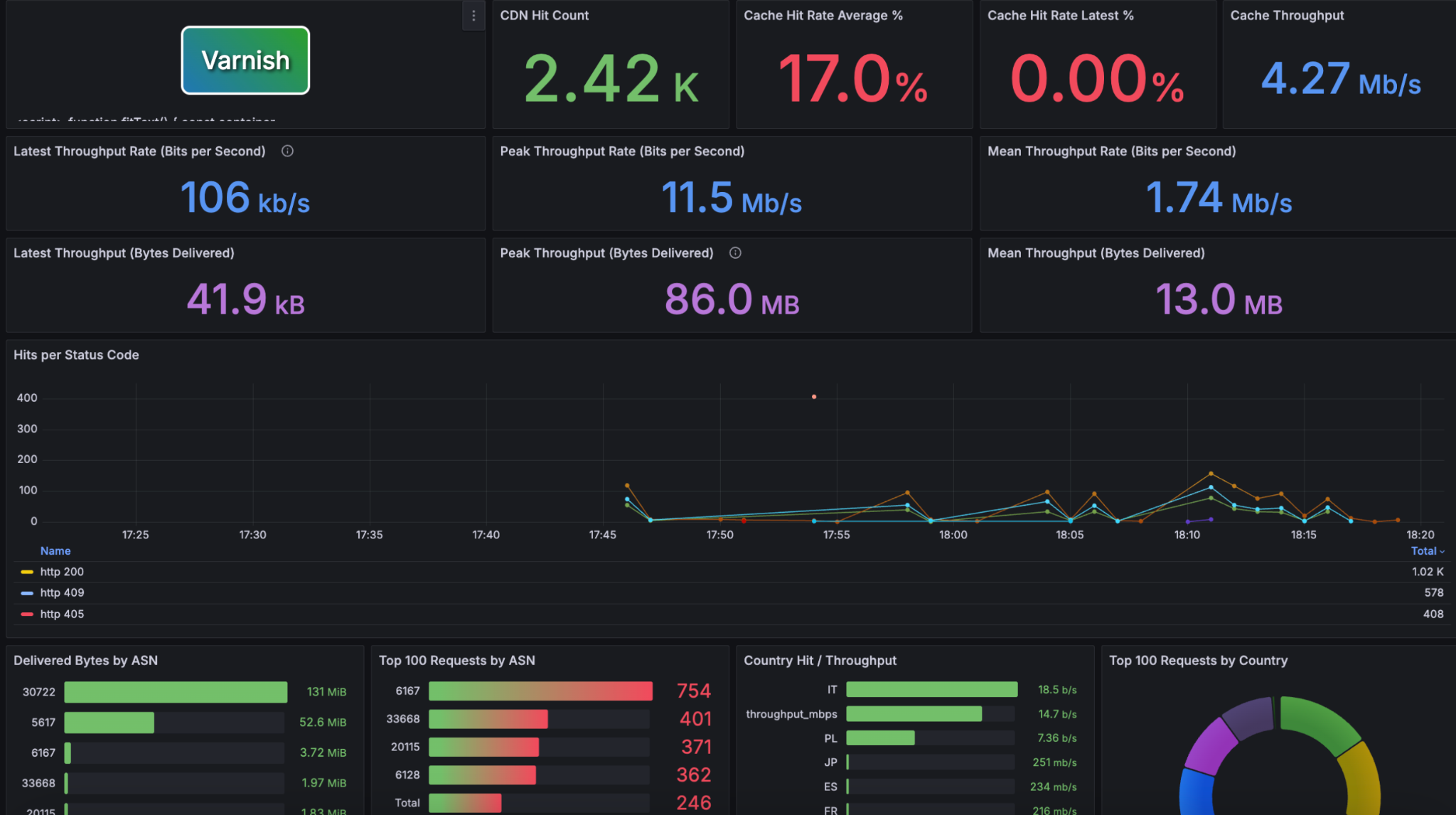
All is now setup up and you should see logs flowing into Hydrolix and being available via Grafana, similar to this one:
Scalable, Real-time Observability
With this setup in place, you now have a scalable, real-time observability pipeline for your CDN traffic, combining the performance of Varnish Software with the analytics power of Hydrolix.
If you encounter any challenges, reach out to support@varnish-software.com for technical assistance or sales@varnish-software.com for commercial enablement.